A website for a family restaurant that shows the whole menu and the whole family it serves
A family restaurant website earns its keep by making the full menu and the dining experience easy to browse before anyone arrives, because the decision to come is usually made as a group, on a phone, a few minutes before leaving the house.
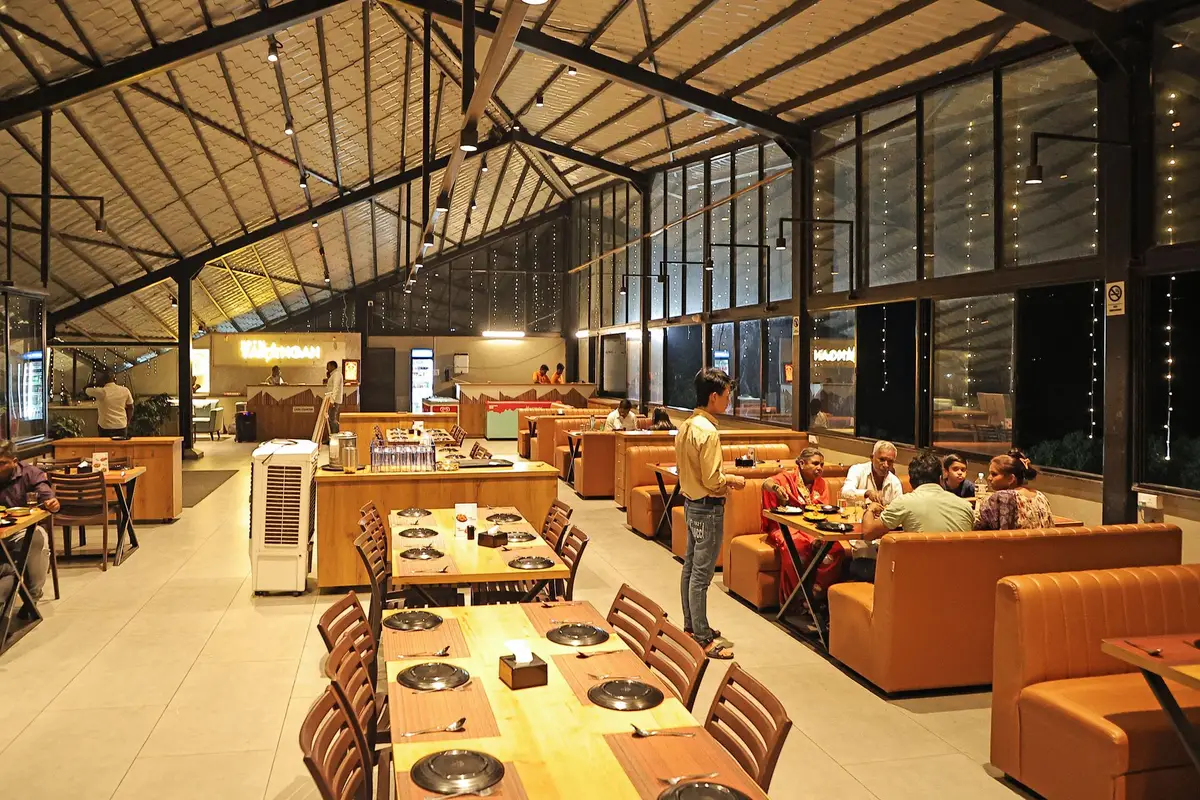
What usually goes wrong for family restaurants
The menu is a photo of a printed page that nobody can zoom in on from a phone.
There is no mention of high chairs, kids' menus or large-table seating, which is exactly what a family is trying to confirm.
Each location has a different look and feel online because the last redesign only touched the flagship location.
Reviews and photos are scattered across three platforms instead of shown where a decision is actually made.
The pages your site will carry
- Home
- About
- Full menu
- Kids menu
- One page per location
- Private events and large groups
- Contact
- Gift cards
The location finder
Lets a family pick the location nearest them and see that room's own hours, seating notes and any local specials before they decide to come.
Three ways to run it
The Single Counter
The website, fully managed, live in 7 days
The Route
Everything, plus the AI Engine, live in 10 days
The Full Circuit
Everything, plus the Content Engine, live in 15 days
Full detail, including the $647 one-time build fee invoiced after launch, is on the pricing page.
What the first month looks like for family restaurants
- Step 1Send the full menu, kids menu, seating notes and party room details for each location.
- Step 2We build a page per location with seating, parking and accessibility notes, and a findable kids menu.
- Step 3Private event enquiries are routed to whichever manager handles them.
- Step 4You approve, launch, and send changes from your client portal as the menu evolves.
The plan that usually fits
The Route, $247 a month
The Route suits family restaurants with busy phones, because the AI receptionist and site chat answer the seating and kids menu questions for the right location.
Compare the plansWhat family restaurants say about it
We reviewed the draft on handsets rather than a big screen, deliberately. The essentials are within the first screen, with an obvious way to inquire. The days of talking customers through the menu are over.
Gregory WilloughbyDining room supervisor, Family-run roadside dinerHarrisburg, Pennsylvania Mobile navigation and page layout for diner group visits
Before this, sending our diner group visits form felt like posting a letter into the dark. The new confirmation states what happens next and how to amend anything that needs changing. Duplicate submissions have dropped away almost completely.
Elias DarnleyPrivate bookings coordinator, Market town family dinerTacoma, Washington Submission acknowledgment and follow-up for diner group visits
Reviews from verified clients, shared with their permission.
Case studies from rooms like yours
All case studies- Market town family diner, St. Petersburg, FloridaA proper acknowledgment for diner group visitsWhen it comes to diner group visits, senders leave with proof of receipt and a stated next step.
- American-style pancake house, Cedar Rapids, IowaDefining what diner group visits does and does not includeWith diner group visits, visitors can tell an inquiry apart from an accepted arrangement.
- Family diner near retail park, Albuquerque, New MexicoFrom shared inbox to named owner for diner group visitsDay to day with diner group visits, ownership is no longer a matter of whoever happens to notice first.
The compliance pages that come with your site
Privacy, terms, cookie consent that really gates scripts, and a build made with accessibility in mind.
Privacy policy and terms
Written for your restaurant and linked from every page and form, so guests can see how their details are used.
Cookie consent that actually blocks scripts
Analytics and marketing tags wait until a visitor accepts. A banner that blocks nothing is worse than none, so ours gates the scripts for real.
Built with WCAG accessibility in mind
Readable contrast, keyboard access, alt text and real text menus instead of a scanned PDF. It helps you meet the accessibility expectations guests and the ADA place on restaurant websites; it is not a legal certification.
Consent wording on text-message forms
On plans with the AI Engine, forms that lead to texts carry clear opt-in and opt-out wording with TCPA rules in mind, and we file A2P 10DLC carrier registration for you. Your own messaging practices remain yours.
Space for your own notices
A clearly labeled place for the notices your locations need, such as an ID policy at a bar and grill or a consumer advisory line on a menu. You supply the wording; we never give food safety, allergen or licensing advice.
Honest reviews handling
Reviews on your site are real ones you have permission to show, and never marked up in ways they should not be, with the US FTC rule on reviews and testimonials in mind.
These pages and standards help you meet common obligations for a US restaurant website; they are not legal advice, and you remain responsible for your own compliance.
Questions from family restaurants
Can we show a kids menu separately from the main menu?
Yes. A kids menu is its own linked page or section, easy to find without scrolling past the full adult menu first.
Do all our locations have to look identical?
No. Each location page can note its own seating, parking and accessibility details while the brand, logo and core menu stay consistent across the group.
Can we take large-group and private event enquiries per location?
Yes. The enquiry form on each location page routes private event requests to whichever address you want handling them.
How do reviews show up on the site?
A reviews section on the home page and on each location page is built to hold clearly labeled placeholder quotes until your real reviews are added after launch, matching the honest disclosure every plan carries.
Can families book a party room online?
The private events page takes enquiry details and routes them to the right location. If you use a booking tool, we link to it.
Can we show allergy information?
We can publish the allergen information you supply, clearly labeled as yours. We never write or advise on allergen, food safety or nutrition content.
Will the site work well on a phone?
It is designed for a phone first, because that is where a family decides, often a few minutes before leaving the house.
Can we offer gift cards?
Yes, by linking to the gift card provider you already use from the relevant pages.
Related services
See it built for family restaurants
A live walk-through, on your screen, of the site you would get.